Secret scanning
Updated
Kryptic ships the gitleaks default ruleset - 222 rules covering AWS, GitHub, Stripe, Slack, private keys and more - with entropy thresholds and allowlists for lockfiles, vendored code and generated artifacts.
In the dashboard
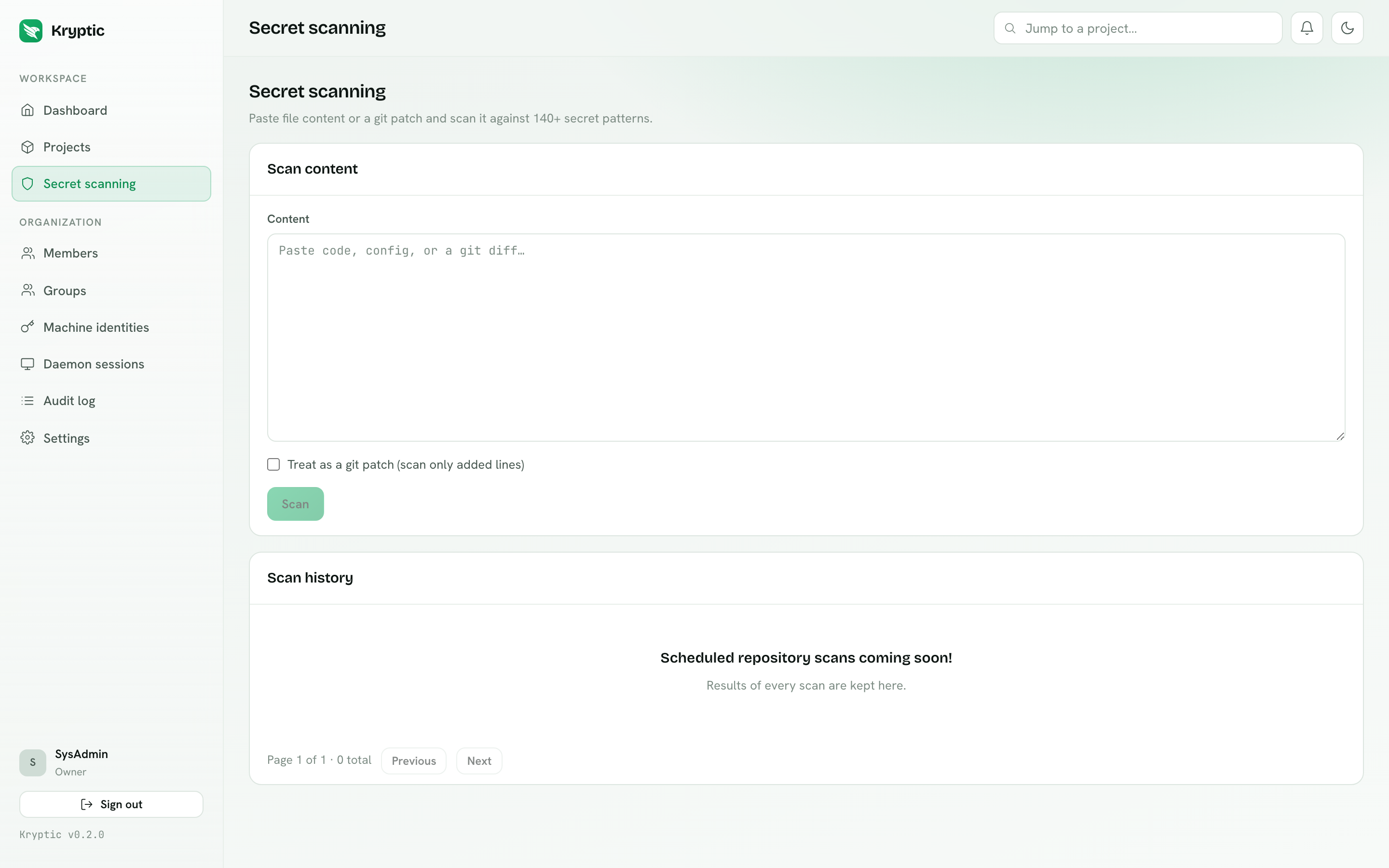
Paste file content, or a git patch with Treat as a git patch ticked to scan only added lines. Findings come back with the rule, severity and location, and every scan is kept in history.
This path sends the pasted content to your organization's Kryptic deployment. The local hook, CLI, and tray scan below do not.
From the CLI - fully offline
kryptic scan                 # the working directory
kryptic scan path/to/dir     # a specific path
kryptic scan --staged        # only lines added in the git index
kryptic scan --export        # also write kryptic-scan-report.md in the current directory
kryptic scan --export reports/scan.md
kryptic scan never sends anything to the platform. The ruleset is embedded in
the binary, so it works with no network and no sign-in.
Findings print redacted and the exit code is non-zero. On a terminal you also get
a 0-100% progress bar. kryptic scan --export writes a Markdown report with the
Kryptic logo (omit the path to put kryptic-scan-report.md in the directory you
ran the command from).
settings.py:14  github-pat  ghp_************************************
    Uncovered a GitHub Personal Access Token, potentially leading to
    unauthorized repository access and sensitive content exposure.

1 potential secret(s) found.
As a local git hook
This is a hook Git runs on your machine after git commit and before the commit
is created. It is not a Kryptic-hosted product. There is no hook service, and
nothing is uploaded.
The hook runs on the developer machine. Staged files never leave the laptop. Kryptic servers never receive scan input or findings.
Do not confuse this with the dashboard paste-scan above. Pasting content in the
dashboard sends it to your organization's Kryptic deployment. kryptic scan --staged does not: it reads the git index locally and never contacts a Kryptic
server.
cat > .git/hooks/pre-commit <<'HOOK'
#!/bin/sh
exec kryptic scan --staged
HOOK
chmod +x .git/hooks/pre-commit
A non-zero exit code blocks the commit. There is no progress bar in a hook (stderr is not a TTY). That is correct.
Optional one-liners if you already use a hook runner:
# lefthook.yml
pre-commit:
  commands:
    kryptic:
      run: kryptic scan --staged
# Husky
echo 'kryptic scan --staged' > .husky/pre-commit
chmod +x .husky/pre-commit
From the tray: Scan…
Scan… is in the Windows/Linux tray and the macOS menu bar. It works while signed out.
- Choose Scan….
- Pick a folder in the native folder picker.
- A determinate 0-100% progress bar runs the same embedded gitleaks engine as
kryptic scan. Closing the progress window, or Cancel, stops the walk. The rest of the menu stays usable. Only one folder scan runs at a time. - On completion,
kryptic-scan-report.mdis written at the root of the folder you chose (not the process working directory). Findings are redacted. The report states the scan ran fully offline. - A result dialog shows the file count, finding count, and report path, with Open Report to open the Markdown file in the OS default app.
If you cancel, no report is written. A partial file is not left as if the scan finished.
Tray Scan… is local: no network, no sign-in, no daemon BFF. The bytes it sees stay on this machine.
In CI
- name: Scan for leaked secrets
  run: kryptic scan
Still offline. No Kryptic credentials are required, so this step works on forks and untrusted pull requests where secrets are unavailable by design.
A finding is a candidate. Entropy thresholds and allowlists remove most false positives, but test fixtures and documentation examples can still match. Move sample values into an allowlisted path, or make them obviously fake.